Problem:
Beim Starten eines Live-OS (zb USB), aber auch bei installierten Systemen möglich, bleibt das Linux mit der Meldung "A start job is running for..." hängen für ewig….
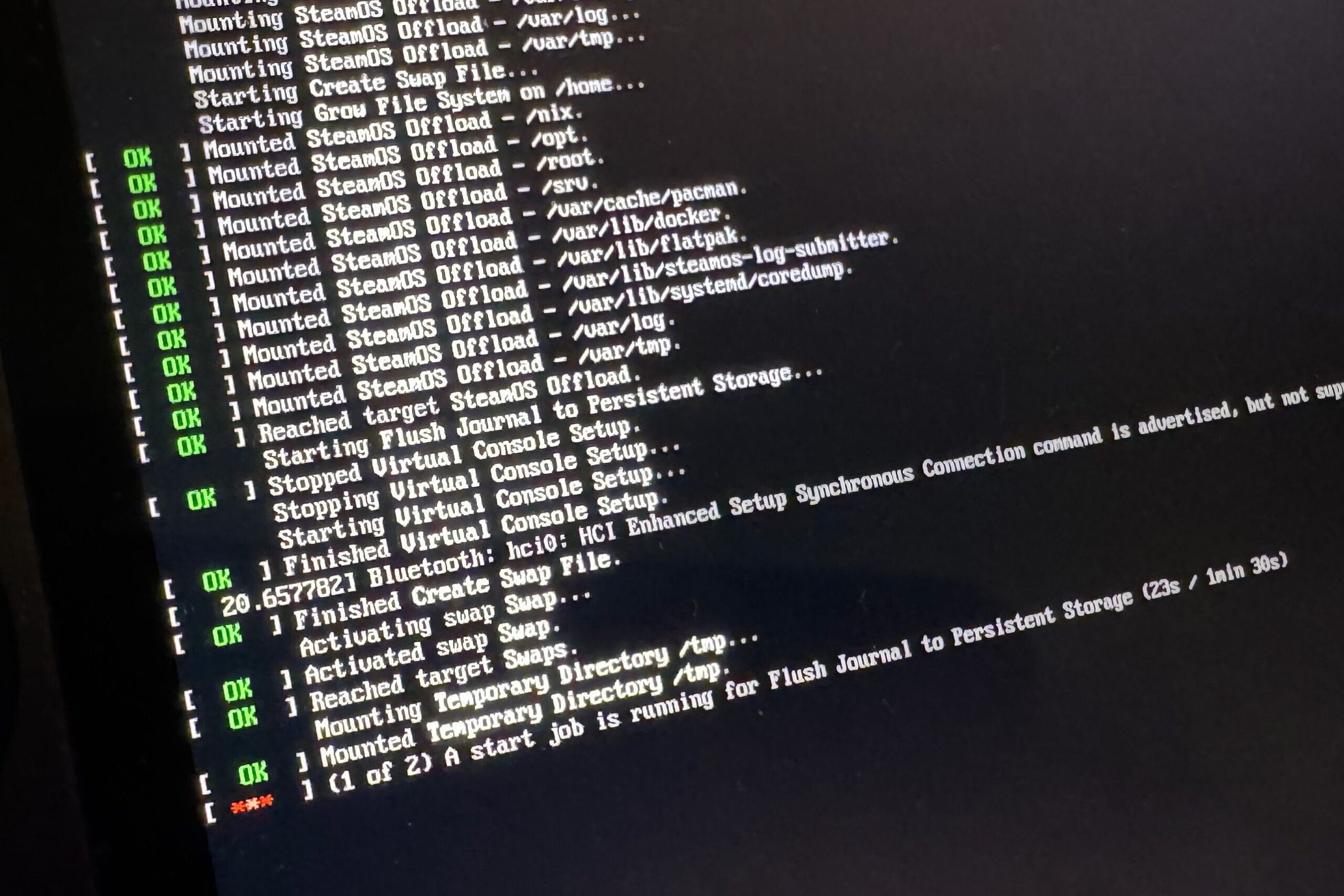
KI-Recherche:
laut DeepSeek-KI tritt der Fehler öfters bei zram-Systemen auf
Lösungansätze:
Disable systemd-time-wait-sync Service (live-usb Fix)
- At the GRUB boot menu, press
eto edit boot parameters. - Add
systemd.mask=systemd-time-wait-sync.serviceto the kernel command line. - Press
Ctrl+XorF10to boot with these parameters. - This prevents the time sync service from running and blocking boot.
Disable zram-generator Service (live-usb Fix)
- At the GRUB boot menu, press
eto edit boot parameters. - Add
systemd.mask=systemd-zram-setup@zram0.serviceto the kernel command line. - Press
Ctrl+XorF10to boot.
ZRAM komplett deaktivieren
Beim Booten des Live-USB:
In der linux-Zeile folgende Parameter hinzufügen:
Im GRUB-Menü e drücken zum Editieren
zram.enabled=0
Für HP Laptops spezifisch:
text
zram.enabled=0 systemd.device_timeout=3 acpi=force pci=noaer
- https://fosspost.org/enable-zram-on-linux-better-system-performance
- https://centlinux.com/enable-zram-in-linux/
Schreibe einen Kommentar
Du musst angemeldet sein, um einen Kommentar abzugeben.